

ref parameter:
Parameters
A full link with all three:
Your links
Create and manage links on the Links page. Use separate links for separate placements, such as your website, your newsletter and your videos, to see which one brings in orders. Each link shows the referrals and orders it has brought in.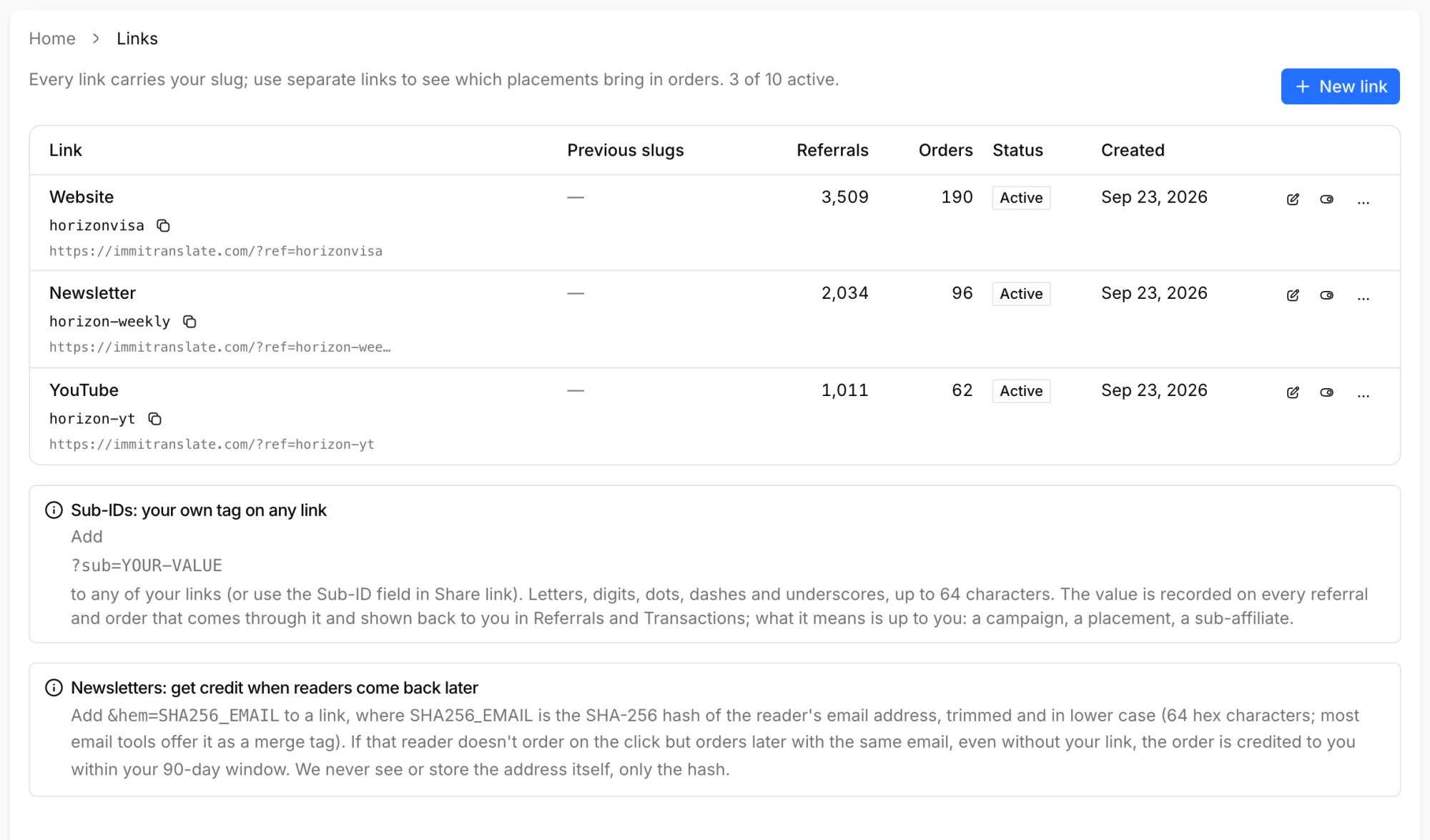
Affiliate Dashboard → Links
- New link creates a link with a random slug, such as
k7xq3m9p, which never reveals who it belongs to. Give it a label (up to 60 characters) so you can tell your links apart, and optionally a landing page. - You can have up to 10 active links, and at least one must stay active.
- If a link’s slug changes, the previous one keeps working and is listed under Previous slugs, so links you’ve already published never break.
- Disable stops a link from counting: new visits through it aren’t recorded, and orders placed after you disable it aren’t credited. Referrals and orders it already brought in stay on record. Enable it again at any time.
- Delete removes a link from your list. Its referrals and orders stay on record, and its slug is never given to anyone else.
Linking to any page
A link leads to the homepage unless you choose a landing page for it. To send people somewhere else, either:- set the link’s landing page when you create or edit it (a page on immitranslate.com, such as
/certified-translation), or - use Share a link on the dashboard: pick a page or paste a path, and it builds the address for you, or
- add
?ref=to any address on immitranslate.com yourself. If the address already has a?, use&ref=:
Sub-IDs
Addsub to any of your links to tag the visits that come through it. What it means is up to you: a campaign, a placement on your site, a newsletter issue, or a sub-affiliate of yours.
Newsletters and email matching
A reader who opens your newsletter on their phone may order days later on their laptop, where your link was never clicked. To get credit for those orders, addhem to the links in your newsletter: the SHA-256 hash of the reader’s email address.
If that reader later places an order with the same email address, the order is credited to you even when they come back on their own, on another device or without your link, as long as it’s within 90 days of the click. These orders show Email match in Transactions.
We only ever receive the hash, never the address itself.
Making the hash
Hash the email address trimmed and in lower case, and send the hash as 64 lowercase hexadecimal characters. Most email tools offer a SHA-256 merge tag for this; check that it lower-cases the address first.+tags both match, since some email tools normalize them before hashing.
How a referral is tracked
- The visit. When someone opens a page with your
ref, we record a referral with its landing page, referring site, device and country, and store your link in a first-party cookie for 90 days. Reloading the same link in the same visit doesn’t count twice. Known bots and crawlers aren’t counted. - The last click wins. If the visitor later opens a different tracking link, whether yours with another sub-ID or another affiliate’s, that click replaces the earlier one and its 90 days start over.
- The order. When the visitor orders, the order is credited to the link in their cookie. Every order they place within the 90 days earns a commission, not only the first.
- Email match. An order placed without the cookie is matched to the most recent click whose
hemmatches the customer’s email address, within 90 days of that click.
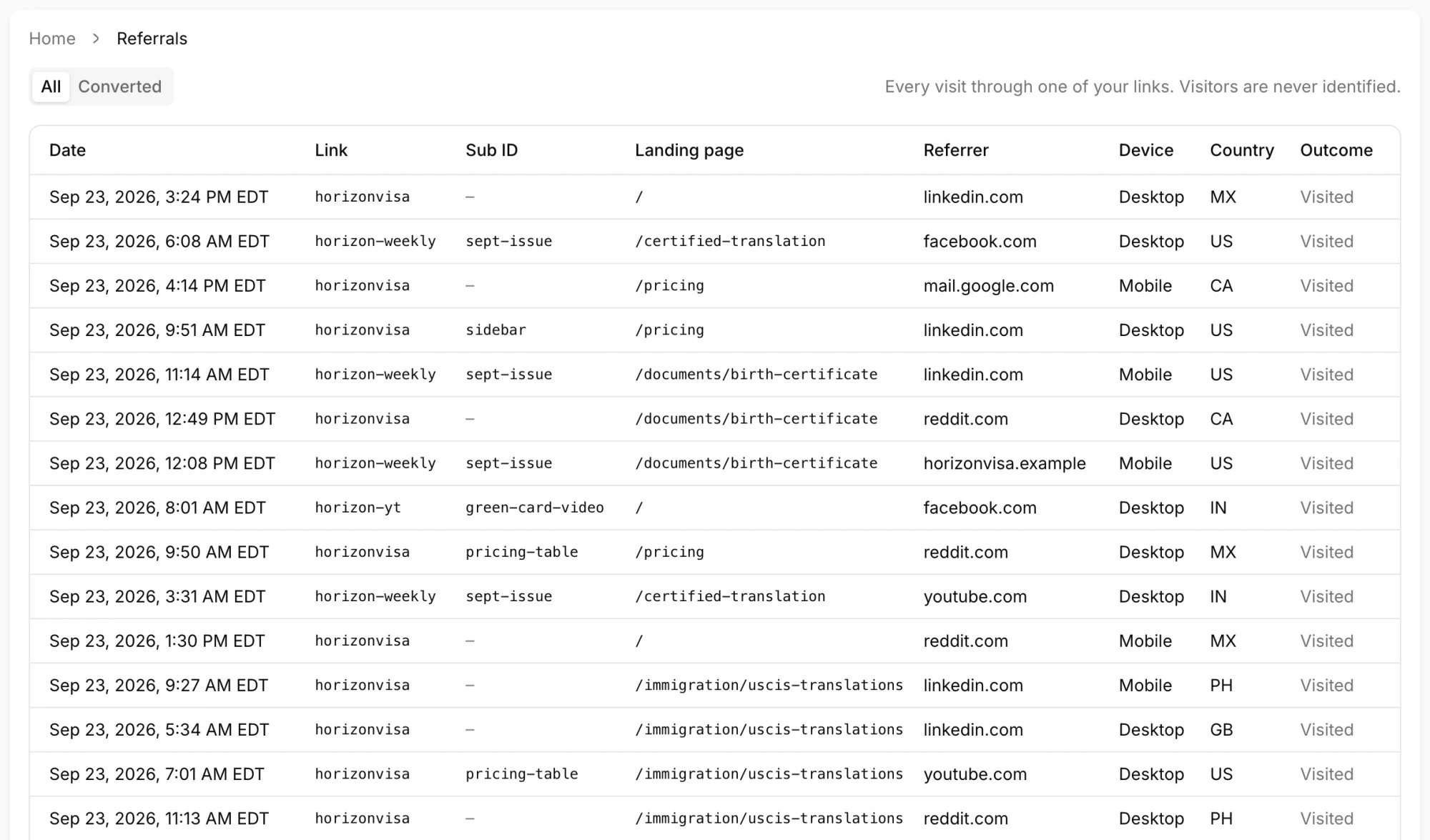
Affiliate Dashboard → Referrals: every visit through your links
What isn’t credited
- Your own orders, placed from your account or with your email address.
- Orders placed through a partner integration.
- Orders placed after your link was disabled or your affiliate account was deactivated.
- Orders from a visitor whose browser blocks or clears cookies, or who orders on another device, unless the link carried
hem.