
1. Select the files

Open the matter and go to Files. Select the files, then choose Bulk actions and Translate (with ImmiTranslate).
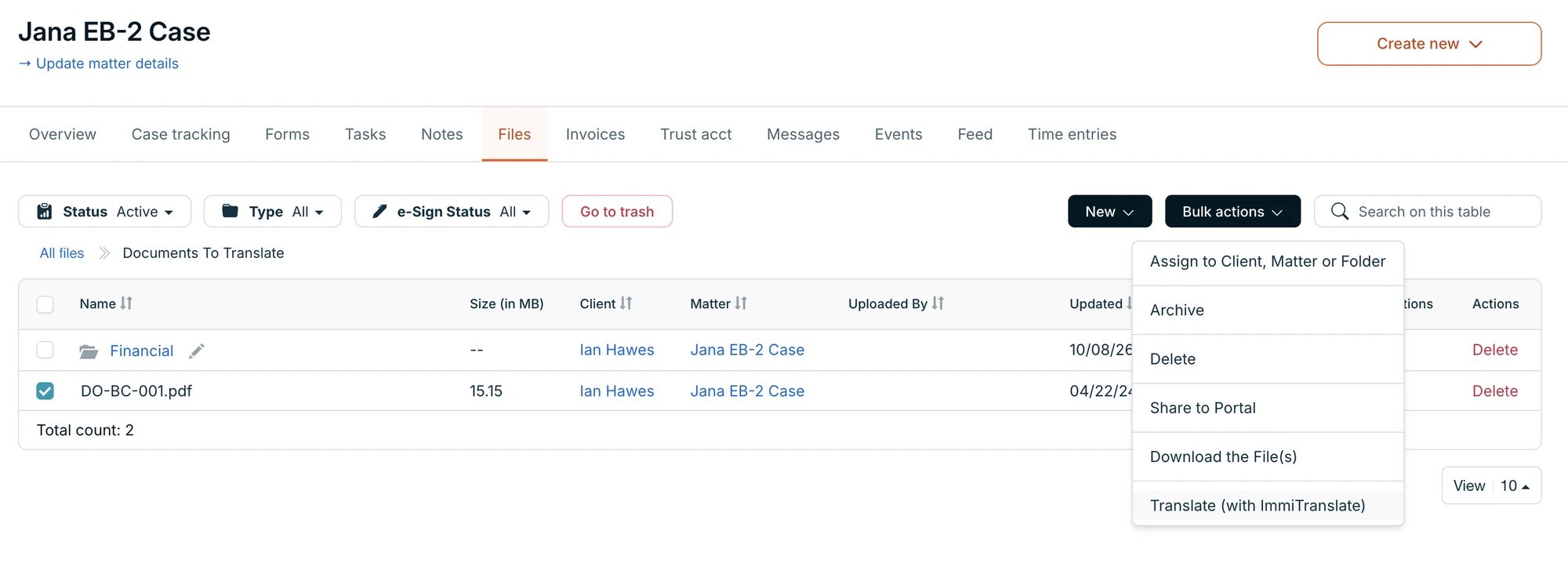
The Files tab of a matter in DocketWise with one file selected and the Bulk actions menu open, showing Translate (with ImmiTranslate)

A matter's files, with one file selected

You can send up to 100 files at a time.
The first time, DocketWise asks you to approve access. See Connect DocketWise.

2. Place the order

ImmiTranslate opens with your files already added. Choose the translation type and languages, then Proceed to payment.
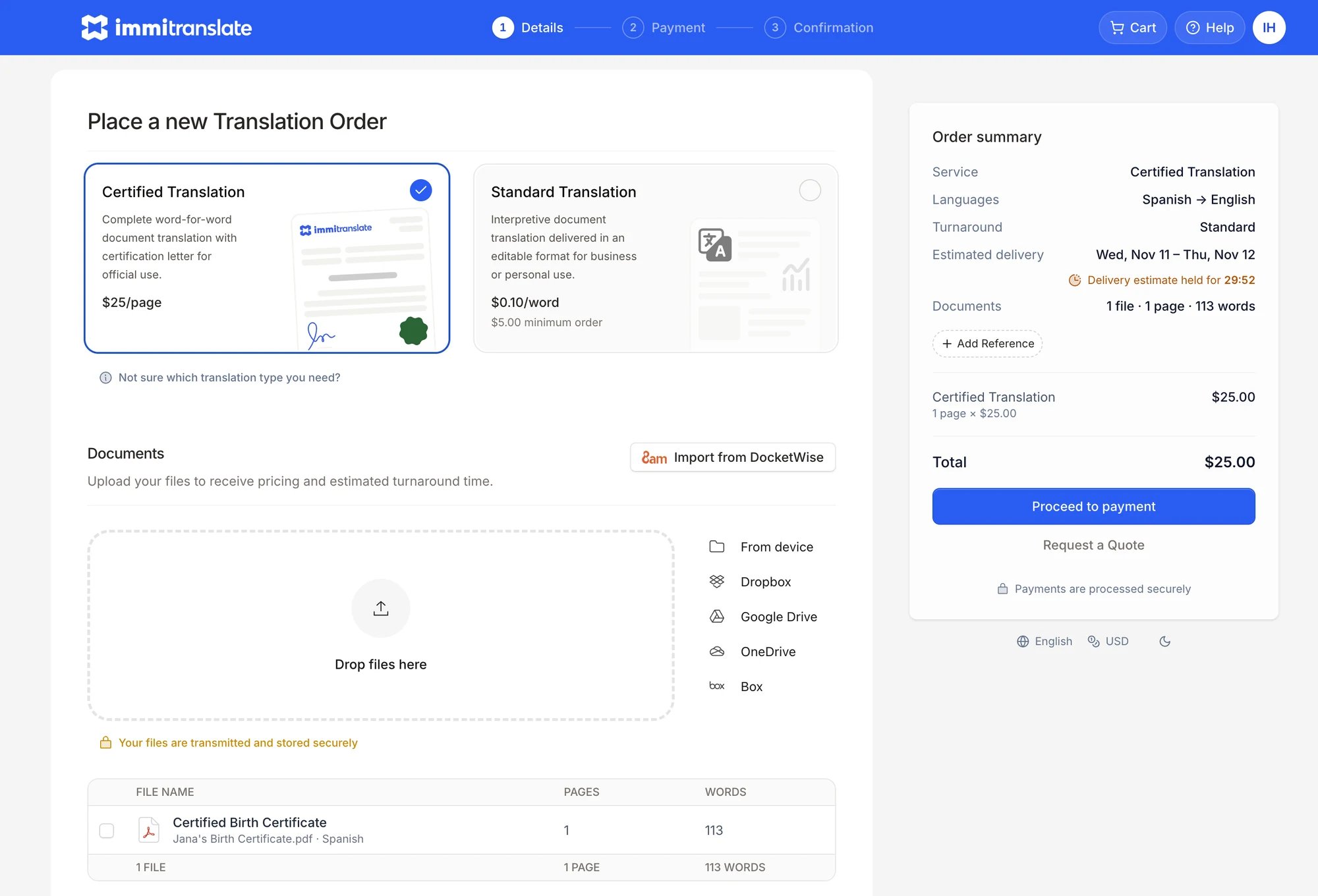
A new ImmiTranslate order with a file from DocketWise already added, an Import from DocketWise button, and the order summary with a Proceed to payment button

Your DocketWise files in a new ImmiTranslate order

Need more files? Choose Import from DocketWise to add them from any matter.

3. Get the translation

We email you when the translation is ready. You can also download it from Orders in your ImmiTranslate account.

Questions

Email support@immitranslate.com.