eimmigration by Cerenade is case management software for immigration practices. With the ImmiTranslate integration, your team requests a certified translation of any document in a case without leaving eimmigration, and the finished translation is saved back to that case.
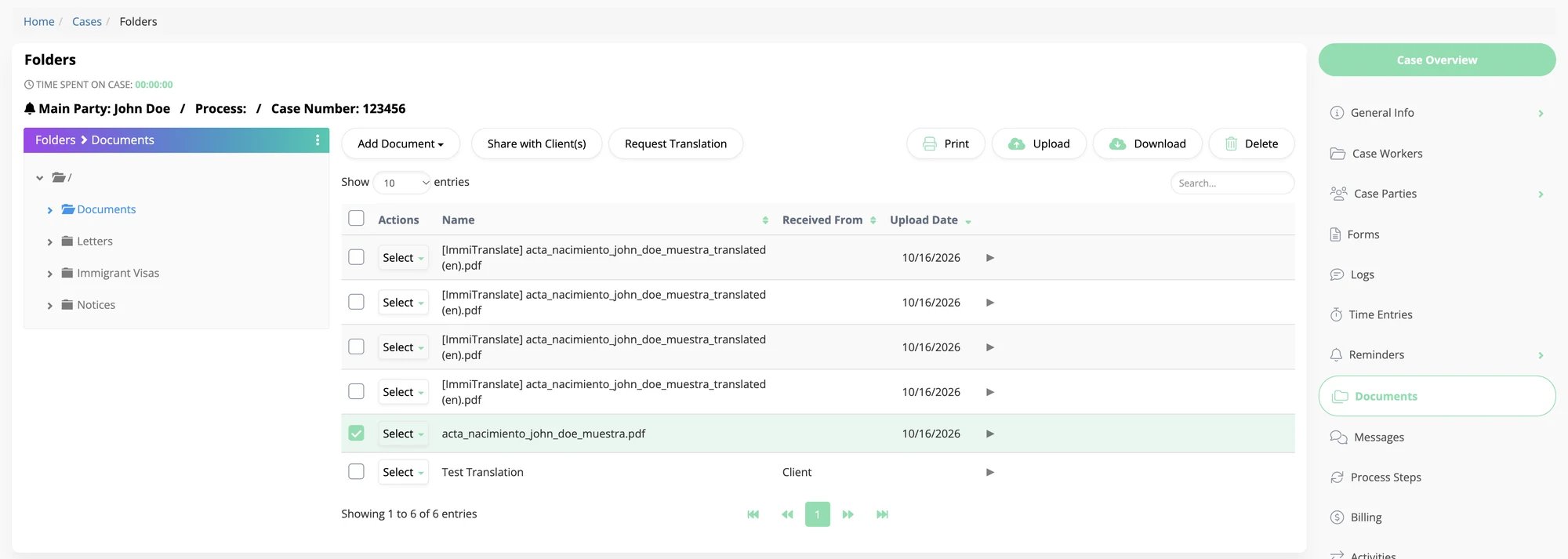
A case's Documents folder in eimmigration, with a Request Translation button above the list and four translated files marked [ImmiTranslate]

Request Translation in a case's documents. Finished translations come back to the same folder, marked [ImmiTranslate].

How it works

1

Connect your accounts, once

An eimmigration administrator connects the firm’s ImmiTranslate account: an API key goes into eimmigration and eimmigration’s webhook URL goes into ImmiTranslate. See Connect eimmigration.
2

Request a translation from a case

In a case’s documents, select the files and choose Request Translation. Pick the languages and any extras, and eimmigration sends the files to ImmiTranslate and creates a quote.
3

Approve the quote

Follow the link to the quote on ImmiTranslate, review the price and approve it. That places the order.
4

Get the translation in the case

ImmiTranslate tells eimmigration as the order moves along. When the translation is complete, it appears in the case’s documents.
The steps your team follows are in Request a Translation.

What you need

  • An eimmigration login with access to Administrator, to turn the integration on.
  • An ImmiTranslate account. If your firm doesn’t have one, you create it while connecting, at no cost.
Translations ordered from eimmigration are ordinary ImmiTranslate orders: they are priced and delivered like any other, they appear under Orders in your ImmiTranslate account, and they are paid for with your account’s payment method or invoice terms.

Behind the scenes

eimmigration works with ImmiTranslate through the same API that is open to every account. It authenticates with an API key created for the integration, and ImmiTranslate sends your account’s quote and order events to eimmigration’s webhook URL, as described in Webhooks.

Questions

Email developers@immitranslate.com.